Multi-Sensory Apps: Designing with Sound, Vibration, and Haptics
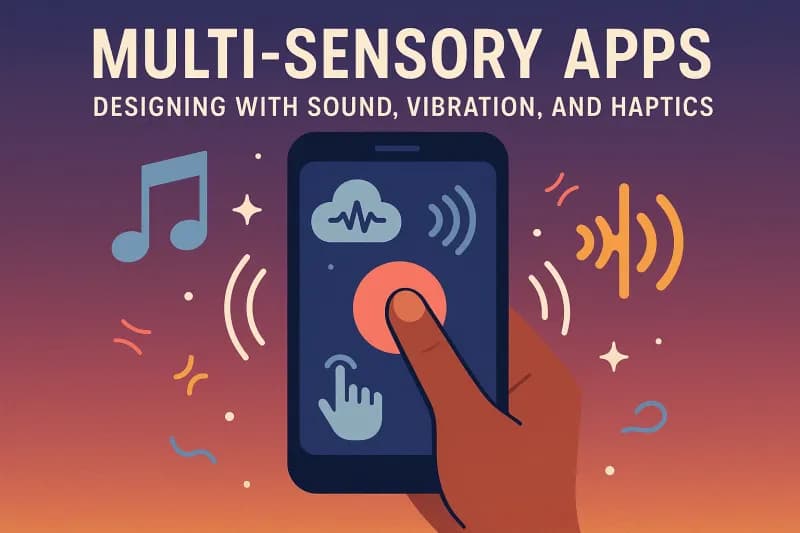
For years, app design focused mostly on what users see on their screens -colors, layouts, typography, and animations. But in 2025, great apps aren’t just seen -they’re felt and heard . Enter multi-sen…
For years, app design focused mostly on what users see on their screens-colors, layouts, typography, and animations. But in 2025, great apps aren’t just seen-they’re felt and heard.
Enter multi-sensory app design, where sound, vibration, and haptic feedback create more immersive, intuitive, and engaging experiences. At ThinkDebug, we believe this is the next evolution of UX (User Experience).
Why Multi-Sensory Design Matters
Multi-sensory interactions make apps:
- More engaging – Users remember experiences better when multiple senses are involved.
- More intuitive – A vibration cue or sound effect often communicates faster than text.
- More inclusive – Sensory design helps users with visual or hearing impairments.
In short, apps that go beyond visuals create deeper emotional connections with users.
Examples of Multi-Sensory Apps in Action
- Mobile Banking Apps → Gentle vibration when a transaction succeeds.
- Fitness Apps → Haptic pulse for each completed rep or milestone.
- Messaging Apps → Distinct vibration + sound patterns for different contacts.
- Gaming Apps → Immersive vibration that syncs with explosions or movement.
- Health Apps → Soothing sounds and calming vibrations for stress relief.
Key Elements of Multi-Sensory App Design
1. Sound Cues
Short, subtle audio signals can:
- Confirm actions (button clicks, payments)
- Alert users (reminders, warnings)
- Set moods (calming background sounds for meditation apps)
2. Haptic Feedback
Tactile responses (vibrations) add physical sensations to digital actions.
- Light taps → notifications
- Strong pulses → errors or warnings
- Rhythmic patterns → progress tracking
3. Vibration Patterns
Custom vibration sequences help users differentiate actions without looking at their device.
4. Combining Senses
Best results come when sound + vibration + visuals are used together but in a balanced way. Overuse can overwhelm users.
Best Practices for Designing Multi-Sensory Apps
- Keep it subtle: Too many vibrations or sounds annoy users.
- Allow personalization: Let users choose vibration strength or mute sounds.
- Design for accessibility: Use sensory cues to help users with disabilities.
- Test across devices: Haptic responses differ across smartphones and wearables.
Industries Driving Multi-Sensory Apps in 2025
- Healthcare: Stress management, remote monitoring, accessibility tools.
- Gaming: Realistic, immersive play experiences.
- E-commerce: Feedback for “add to cart” or purchase confirmations.
- Education: Sensory-rich e-learning apps for better retention.
- Productivity: Smart notifications with vibration + sound cues.
How ThinkDebug Helps Businesses
At ThinkDebug, we create apps that aren’t just beautiful, but also experiential. Our expertise in multi-sensory app design ensures your users:
Engage longer
Remember interactions
Trust your brand more
Whether it’s soundscapes in meditation apps, haptic-rich gaming, or sensory feedback in healthcare apps, we build solutions that go beyond the screen.
Ready to Build an App Users Can See, Hear, and Feel?
The future of apps is multi-sensory. Don’t settle for flat interactions-make your app stand out with sound, vibration, and haptics.
👉 Connect with ThinkDebug today to design next-gen experiences for your users.